C4 Diagram
Free Online C4 Diagram Maker
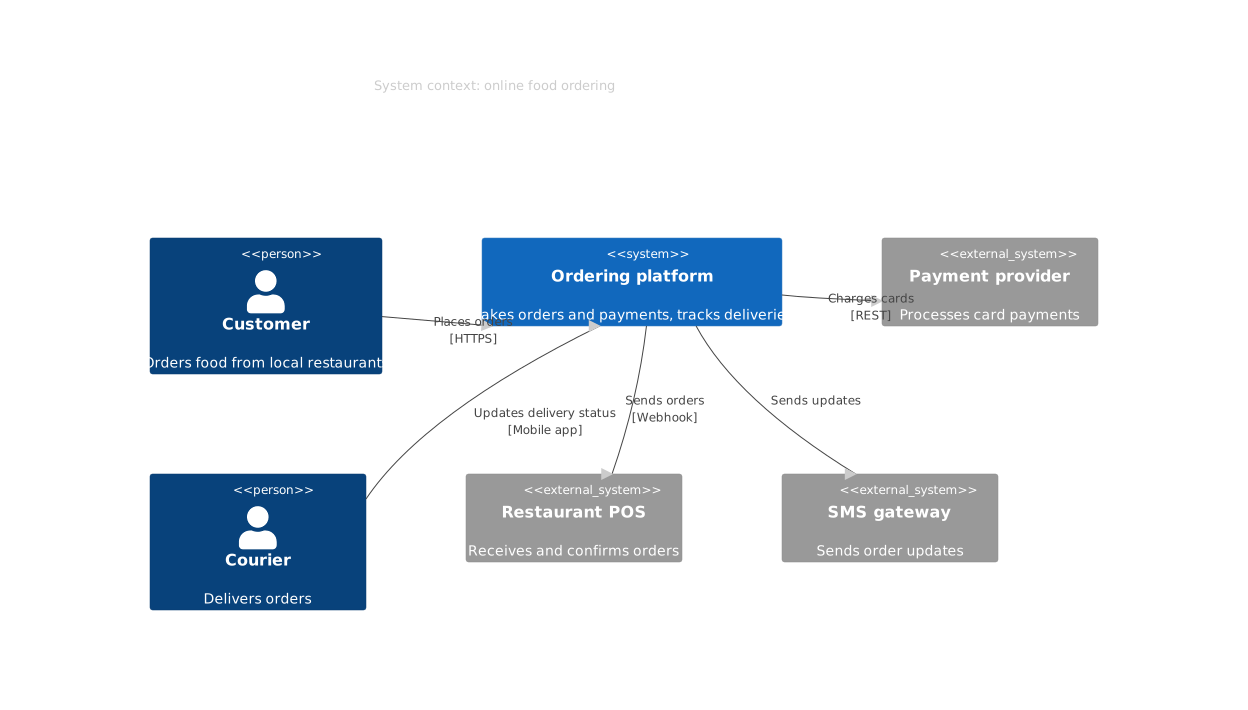
A C4 diagram describes software architecture at one of four zoom levels from the C4 model: system context, containers, components and code. It shows people, software systems and the relationships between them, labelled with what they do and the technology they use.
Declare people and systems, mark the external ones, and describe how they relate. The same text works at the context, container and component levels.
Last updated: · Mermaid v11
Try it live
When to use c4 diagram
Architecture documentation
Keep the system context and container views in the repository as text, so they are updated in the same pull request as the code they describe.
Explaining a system to newcomers
Start from the context view, who uses the system and what it talks to, before going down to containers and components.
Architecture decision records
Add a small C4 view to an ADR to show exactly which systems and relationships a decision changes.
Key syntax
Experimental: Mermaid's docs say the C4 syntax and properties can change in future releases. Mermaid lays C4 diagrams out automatically in declaration order, so you have less control over placement than in other tools.
C4ContextSystem context level (also C4Container, C4Component)Person(id, "Name", "Desc")A personSystem(id, "Name", "Desc")A software systemSystem_Ext(id, "Name")A system outside your boundaryContainer(id, "Name", "Tech")A container, on C4Container diagramsRel(a, b, "Label", "Tech")A relationshipUpdateLayoutConfig(...)Layout, e.g. $c4ShapeInRow="3" shapes per row; declaration order sets placementHow to create a c4 diagram with Mermaid
Open the FlowViz editor and type C4Context on the first line (or C4Container, C4Component).
Add a title: title System context: My system.
Declare people and systems with Person(...), System(...) and System_Ext(...).
Add relationships: Rel(from, to, "What it does", "Technology").
Reorder the declarations to change the layout.
Export as SVG or PNG, or copy a share link.
Frequently asked questions
Which C4 levels are supported?
System context (C4Context), container (C4Container), component (C4Component), dynamic (C4Dynamic) and deployment (C4Deployment). The first line picks the level.
How do I mark something outside my system?
Add _Ext to the element, as in System_Ext or Person_Ext. External elements are drawn in grey.
How do I control the layout?
Mermaid places elements in the order you declare them, so reorder the lines to rearrange the diagram. UpdateLayoutConfig sets how many shapes go in a row.
Is the FlowViz C4 diagram maker free?
Yes. It is free with no account, and you can export SVG or PNG or share the diagram as a link.
Start diagramming now
No signup. No install. Just open the editor and start writing.